Know right away if someone touches your laptop while you are away
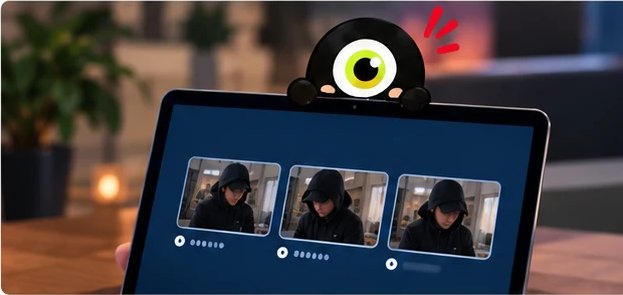
When someone tries to unlock your Mac or gets in, Upsi takes a photo with the camera and sends it to you on Telegram, with the time and the place.
Free for 30 days, all features. Then 1 € a year.
macOS 14 or newer · 2.9 MB · no account, no card
On first launch macOS may say it cannot verify the app. Right-click Upsi and choose “Open”. This happens once, until Apple approves the signature.

How it works
Setup takes three minutes. After that, Upsi works on its own.

Install the app
Drag it to Applications and allow the camera. It sits quietly in the menu bar.

Connect it to Telegram
Alerts arrive in your own chat. The app guides you step by step, with drawings.

Get on with your day
Lock the screen and leave. If someone touches your laptop, you are the first to know.
When it helps
Not for spy movies, but for ordinary days, when the laptop is left alone for a few minutes.
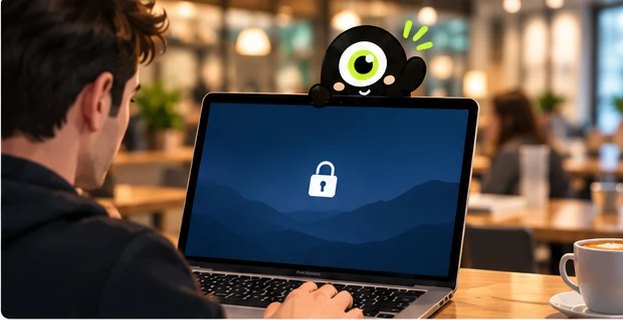
At the office, over lunch
A colleague looks into your laptop while you are out. You get their photo from the first password attempt and know exactly who it was, no guessing.
At a café, when you step away
The laptop stays alone for a few minutes. If someone touches it, you know at once. And when someone behind you reads your screen, Upsi tells you quietly.

At home, with kids or flatmates
The kid wants to play, the flatmate is curious. You have the photo and the time, nobody gets accused. When you want no photos, pause Upsi with one click.

Travelling, at the hotel
The laptop stays locked in the room. If someone opens it, you get the photo. If it disappears, you have its last location on the map.
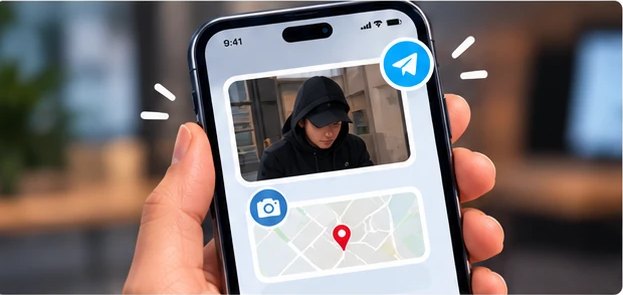
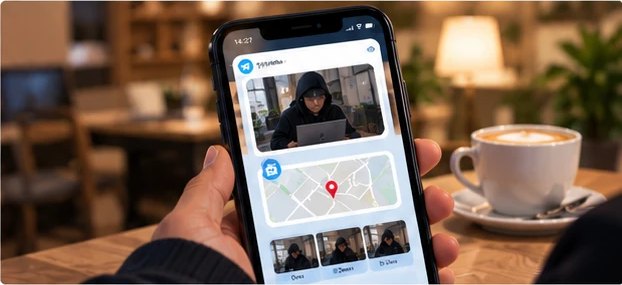
What you get on your phone
Your phone buzzes once, you open Telegram and see everything.
- The person's phototaken the moment they touched the laptop, got the password wrong or logged in.
- Time and placewith a link to the map.
- What they looked forscreenshots at 1, 3 and 5 minutes after login.
- Answers when you asksend /photo, /where or /screen and it replies right away.
When you work in public
Turn on Shoulder Watch and, when a second face looks at your screen, the menu bar icon turns red. If you want, the screen blurs until the person leaves. Nobody feels accused, and Upsi keeps no frames.

Upsi does not see your photos.
Photos go from your laptop straight to your Telegram chat. They never pass through a server of ours, and they are deleted from the Mac after 30 days.
We only know an identifier of the Mac, so the trial cannot be restarted. Upsi is installed only on a Mac you own; watching another person without their consent is forbidden.
Price
- The first 30 days are free, all features, no card.
- Then 1 € a year, taxes included. Cancel any time.
- The activation key arrives by e-mail within seconds.
- When it expires, Upsi stops taking photos but deletes nothing.
macOS 14 or newer. Payment happens in the app, at the end of the trial.
Frequently asked questions
Does the person notice the photo?
The camera LED lights for a moment, as with any photo. Nothing shows on screen, and the menu bar icon can be hidden entirely.
Why Telegram?
It is the only way photos reach your phone without passing through anyone's servers. The bot and the chat are yours.
What if the person restarts the Mac?
After a full restart Upsi does not see the login screen; the first photo comes when someone logs in. While the Mac is on and locked, it sees everything.
Can I move the license to another Mac?
Yes. In Settings, License, remove the key from the first Mac and activate it on the second.
Which permissions does macOS ask for?
Camera, notifications, location and, if you want screenshots, screen recording. For each one Upsi shows a drawing of where to click.